Everything You Need to Write Complex Stories
A story engine that tracks your characters, timelines, and world — so your AI assistant actually knows what it’s talking about.
Bring Your Existing Manuscript In
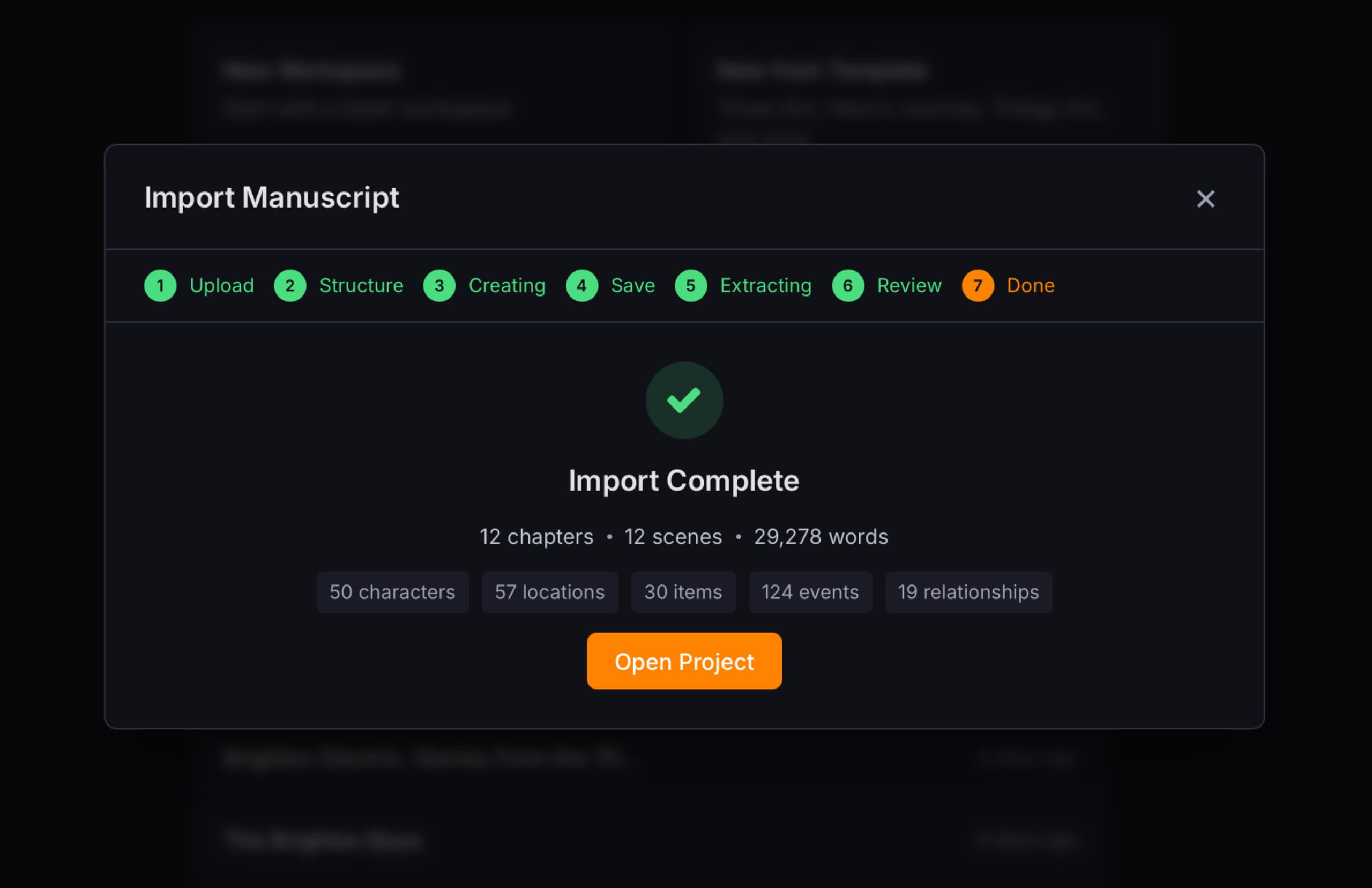
Already have a manuscript? Drop it in and Codiko will parse it into chapters, optionally use AI to extract your characters, locations, items, and plot events — turning it into a fully structured project in minutes.
- Supports .txt, .md, .rtf, .docx, and .pdf files
- Intelligent chapter detection — handles numbered chapters, part markers, and heading styles
- AI entity extraction — characters, locations, items, events, and relationships pulled from your text
- Review everything before committing — edit names, roles, and descriptions in a preview step
- Lands you in a fully structured project with manuscript, timeline, and canon pages ready to go
Start with an AI Brainstorm
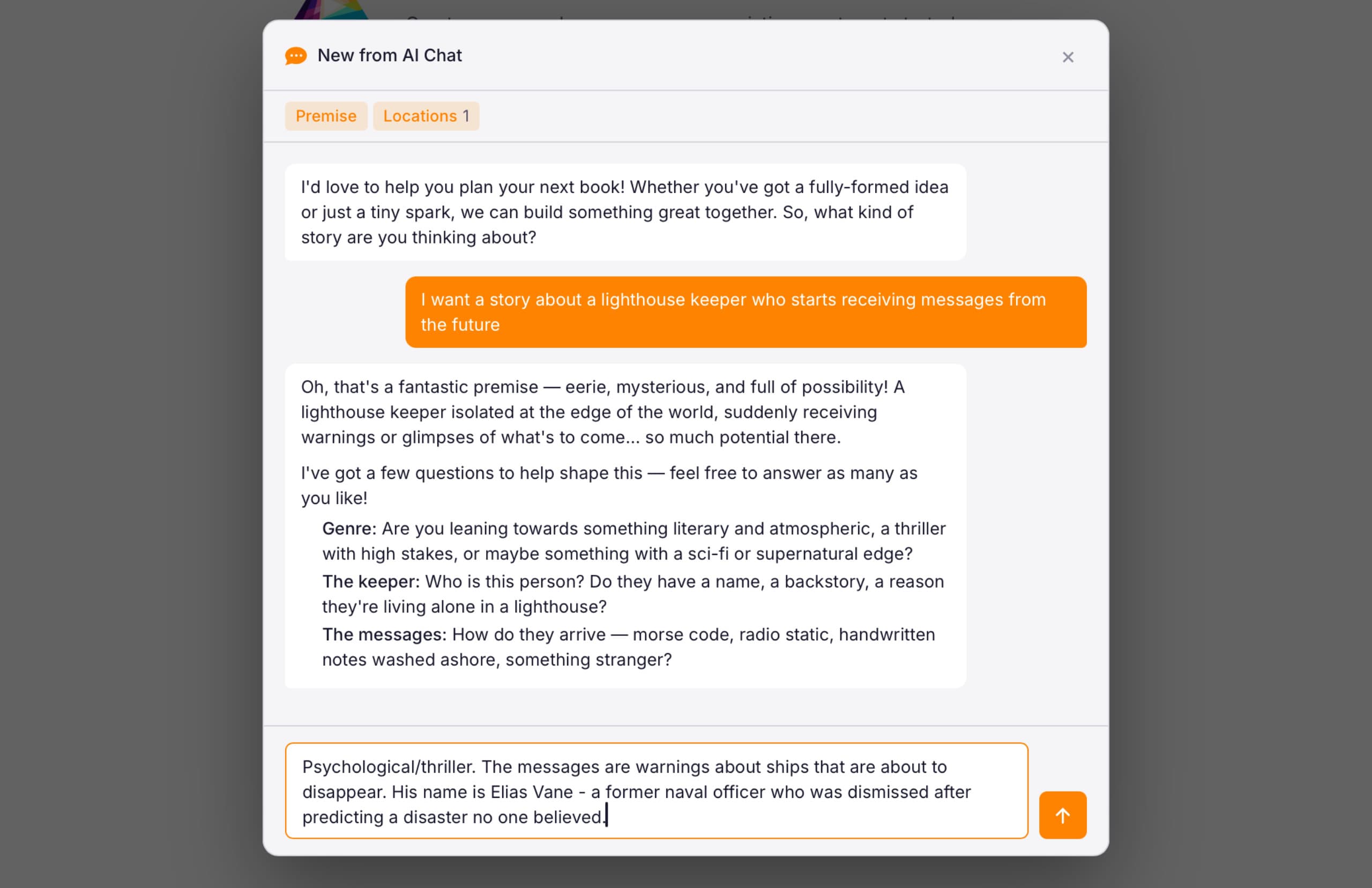
Not sure where to start? Open a brainstorm session and chat with the AI about your idea. It asks questions to shape your characters, setting, and plot — then generate a structured project when you’re ready.
- Guided conversation that draws out your genre, premise, characters, and world
- AI extracts structured data as you talk — names, roles, settings, themes, and plot beats
- Works for fiction and non-fiction — adapts its questions to your genre
- When you’re happy with the plan, it generates a full project with chapters and canon entries
- You stay in control — review and edit everything before the project is created
Start with a Template
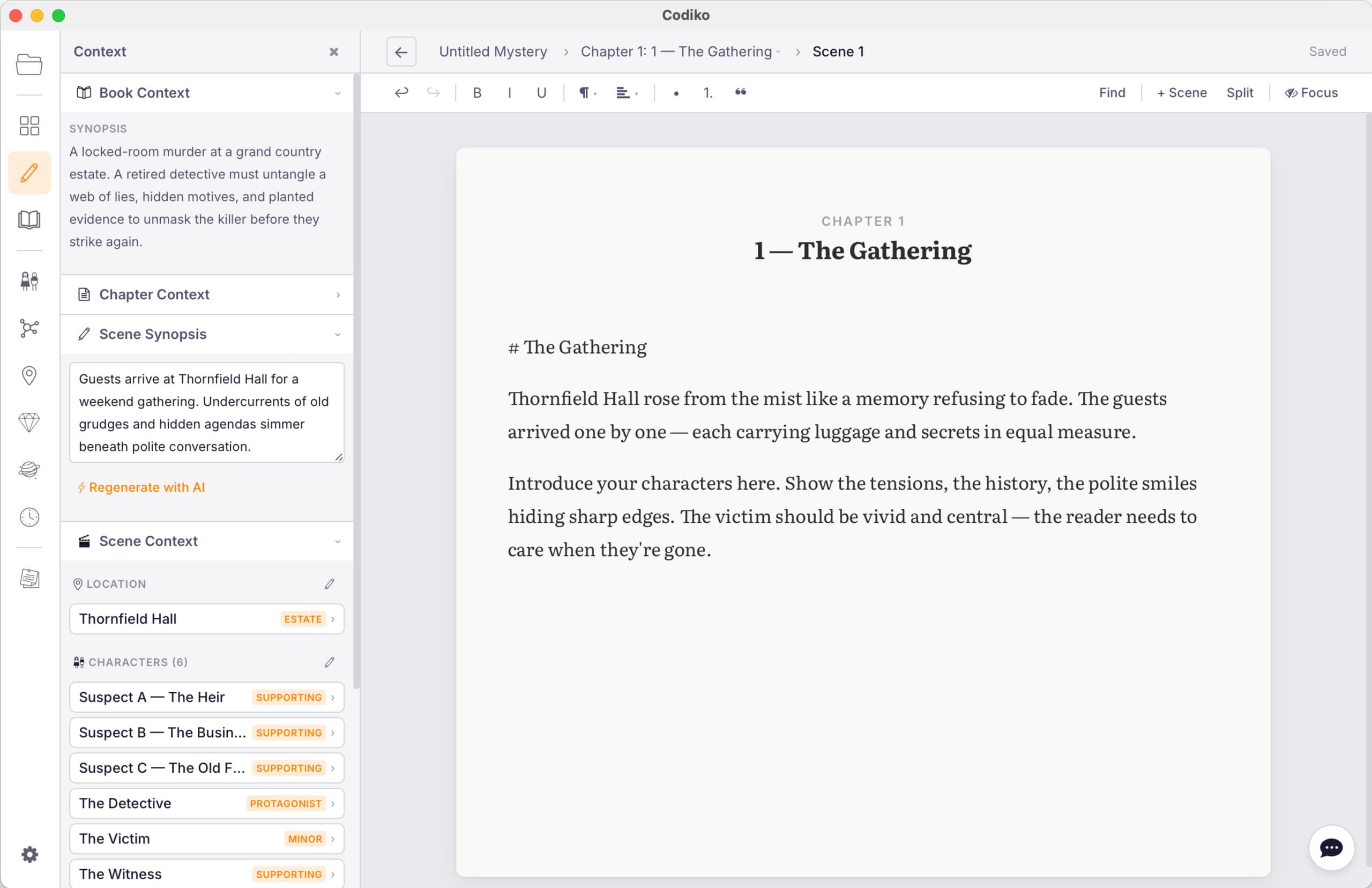
Choose from a variety of project templates to get you started, including:
- Three-Act Structure - The classic beginning, middle, and end.
- Hero's Journey - Joseph Campbell's twelve-stage monomyth mapped to chapters, timeline events, and character arc knowledge entries.
- Trilogy Arc - Three books with a shared cast, interconnected timelines, and a series-level story arc. Each book has its own three-act structure while contributing to the overarching narrative.
- Murder Mystery - A classic three-act murder mystery at a country estate — Discovery, Investigation, Resolution. Features plot items with resolution tracking: clues, a murder weapon, a red herring, and key evidence that must all be resolved by the final reveal.
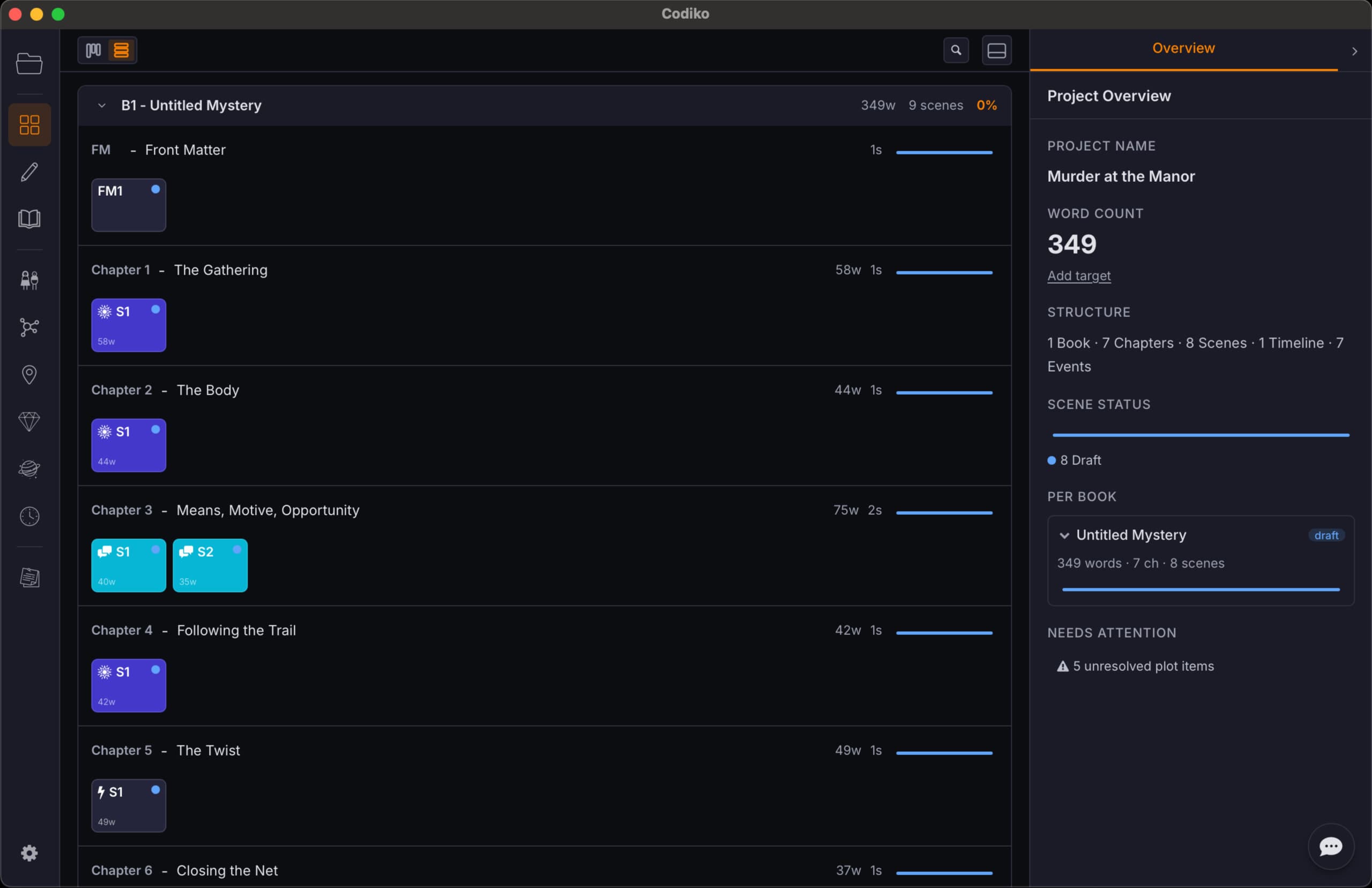
Plan, Structure, and Track Your Story
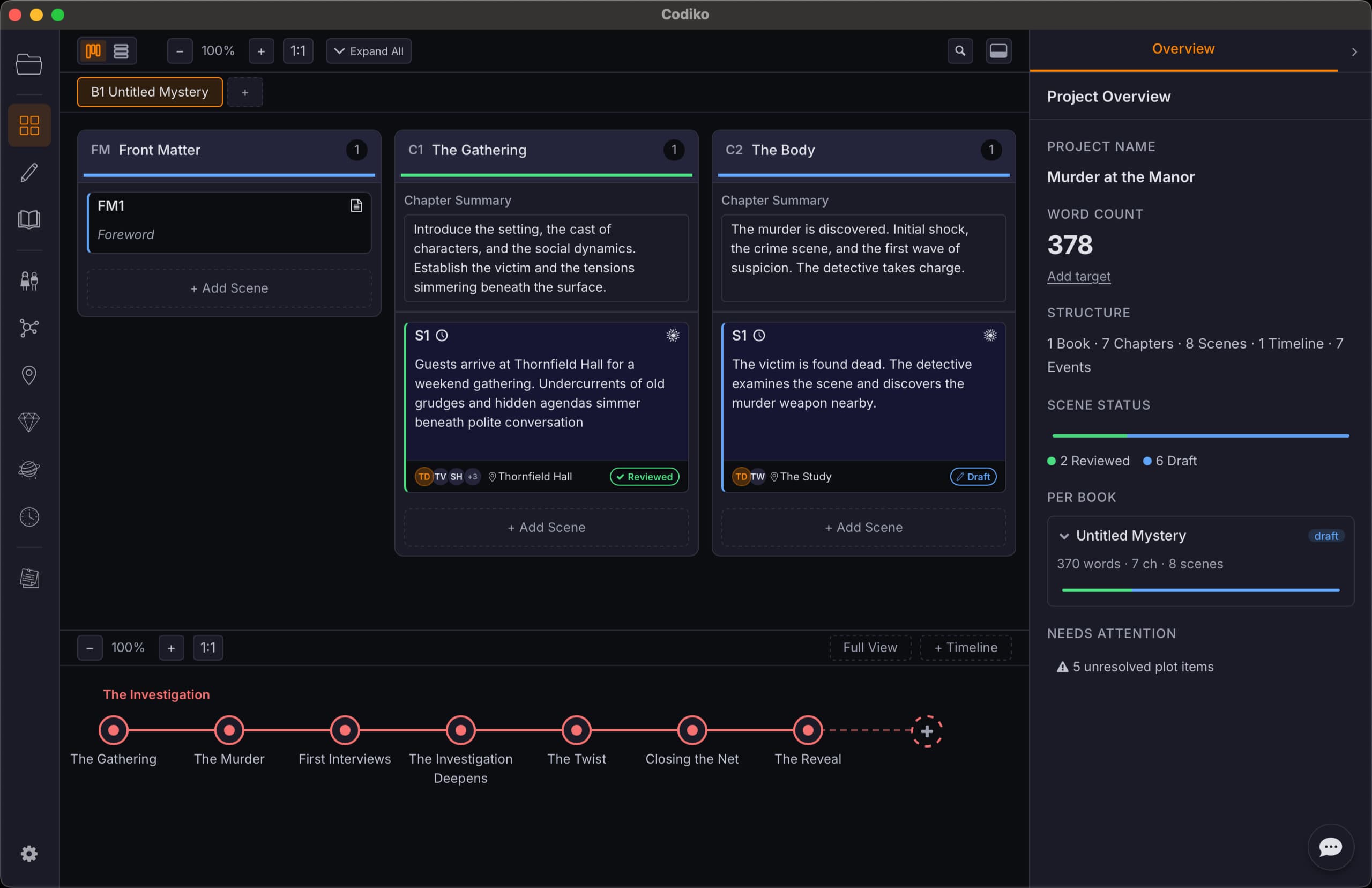
Two views for two stages of writing. Use the board to plan your structure and block out scenes early on, then switch to overview to track pacing and completion as you approach the finish line.
- Board view — drag-and-drop scene cards, chapter summaries, and outline planning
- Overview — see pacing at a glance with scene types, word counts, and completion percentage
- Multi-book projects for series, companion novels, or standalone works
- Scene summaries, status tracking, POV assignment, and timeline linking
A Focused, Powerful Writing Environment
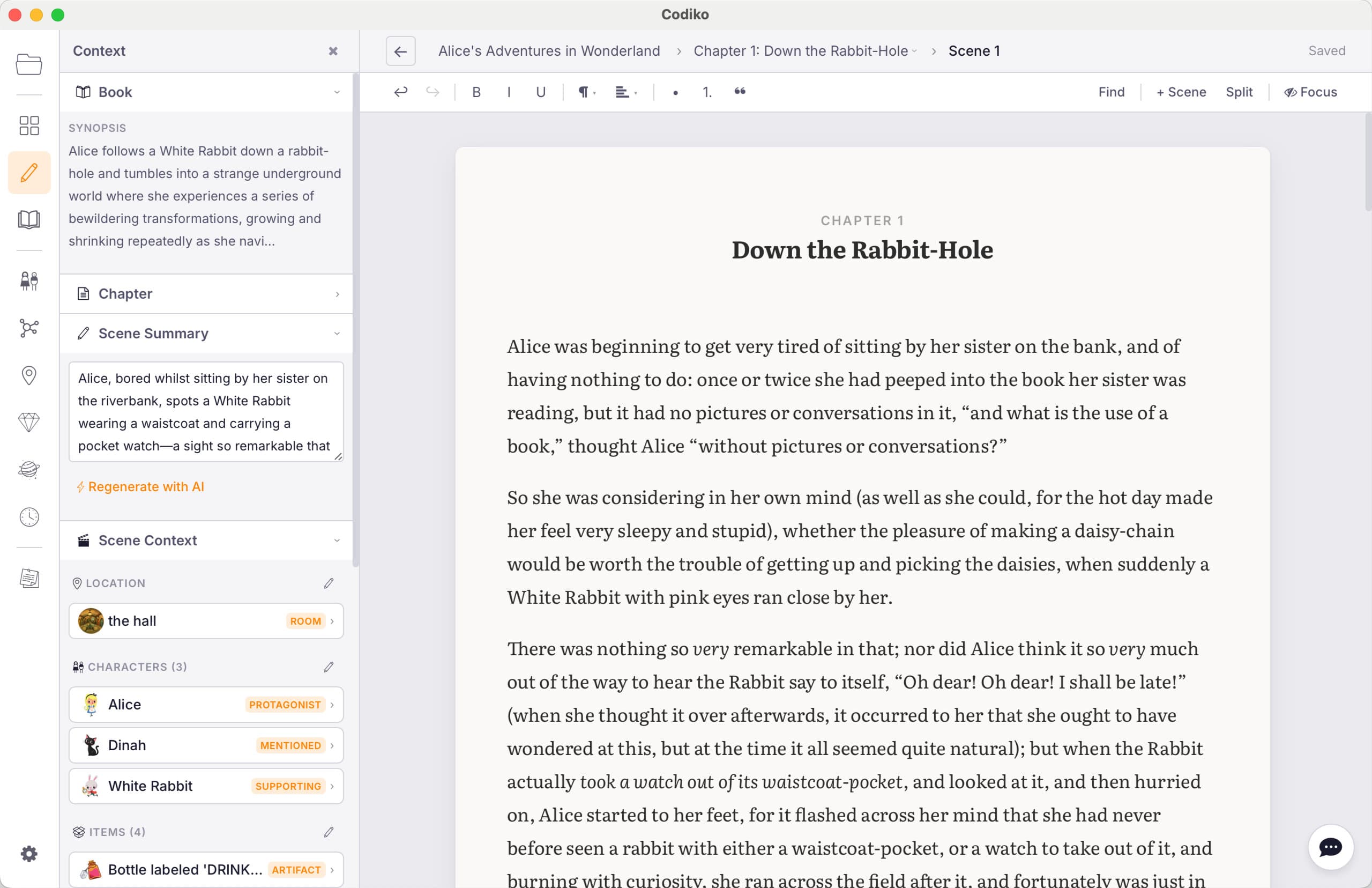
A clean editor built for long-form writing. No distractions, no clutter — just the tools you need to write well, with AI augmentation when you want it.
- Rich text formatting — headings, bold, italic, blockquotes, scene breaks
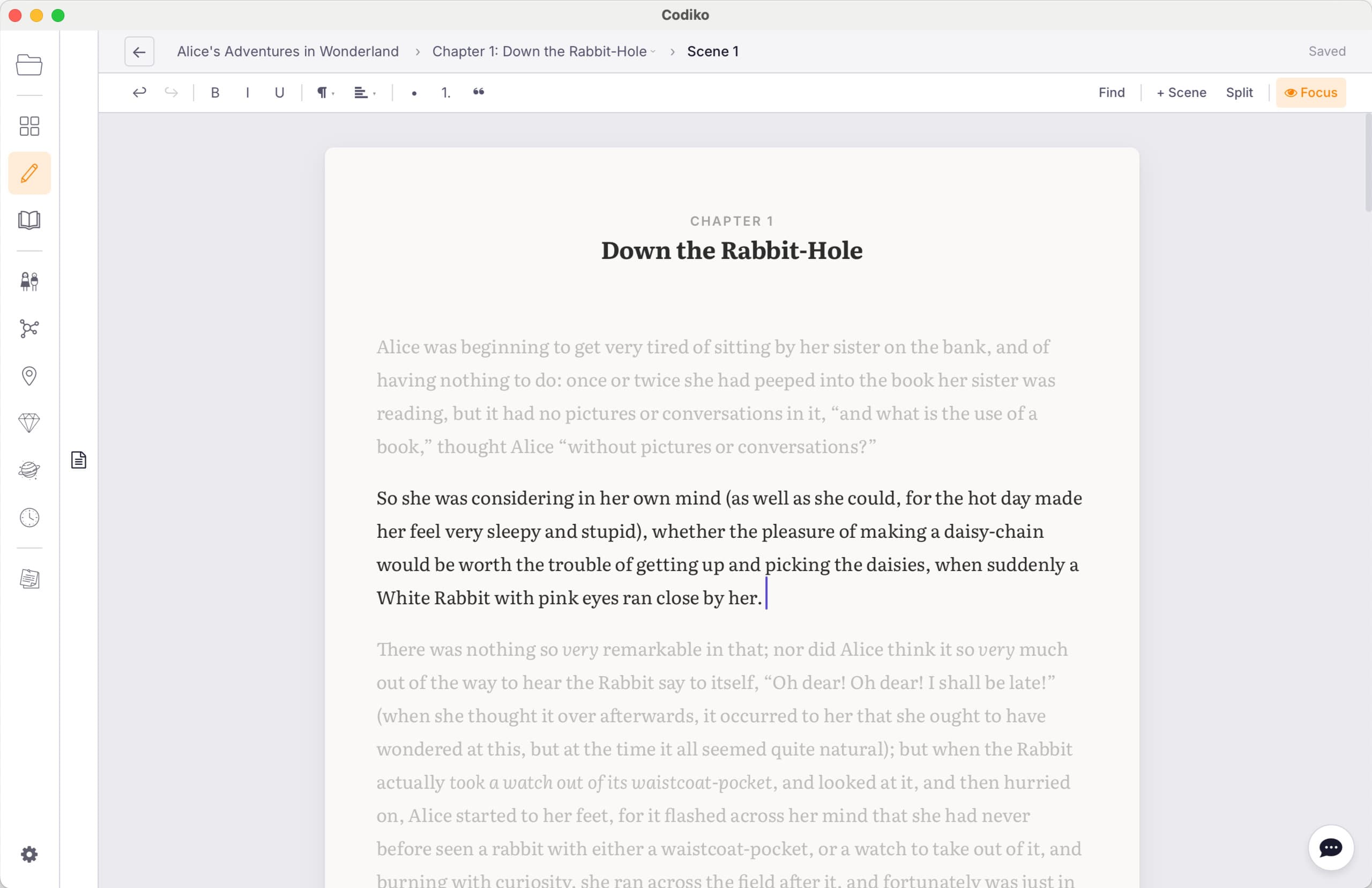
- Focus mode that dims everything except the current paragraph
- AI diff review — see suggested edits as tracked changes before accepting
- Search and replace across scenes
- Scene breaks with visual dividers
AI With Access to Your Entire Book
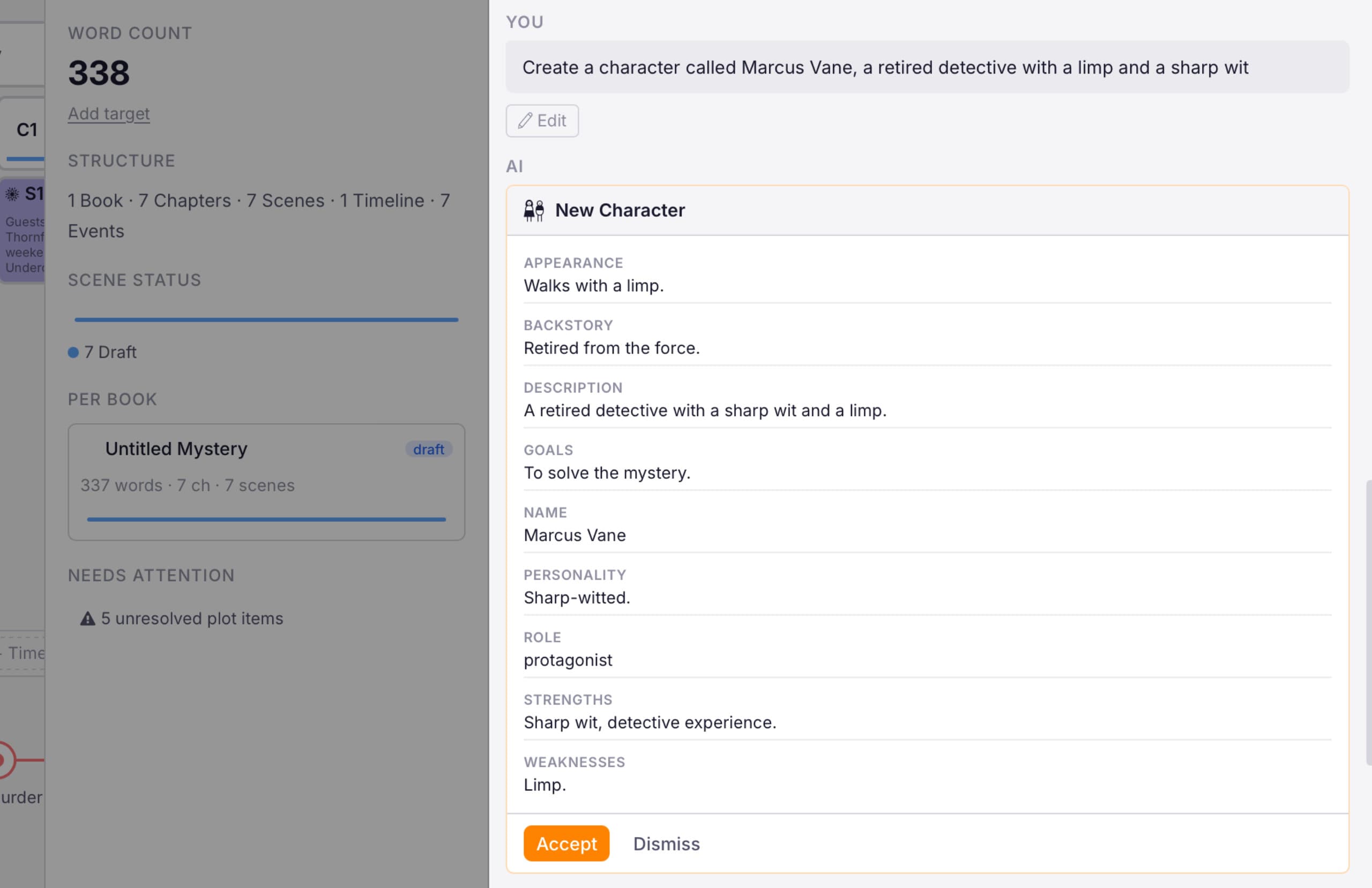
This isn't a chatbot you paste text into. The AI assistant can search your entire manuscript, all your characters, locations, world-building, timelines, and relationships. When you ask it a question, it finds the relevant context in your project before responding.
- Has access to your full manuscript, not just what you paste in
- Searches across chapters, character pages, timelines, and world entries
- Suggests edits as diffs — you review and accept or reject, always in control
- Ask about continuity, character arcs, timeline consistency, or anything in your story
- Works with OpenAI (GPT-4o), Anthropic (Claude), or free local models via Ollama
- Bring your own API key — no markup, no data harvesting, no subscription
Your Story's Chronology — Independent of Your Chapters
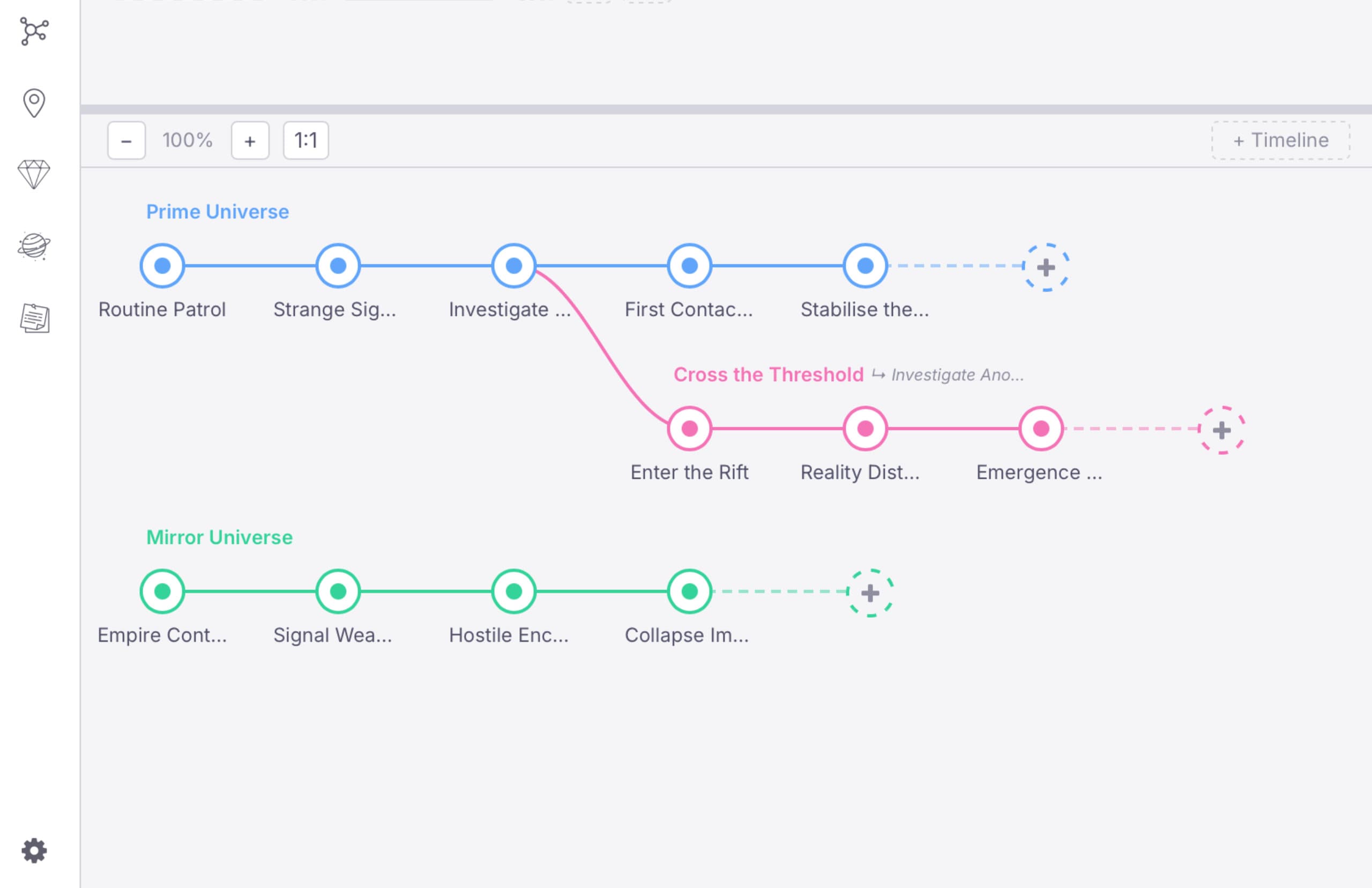
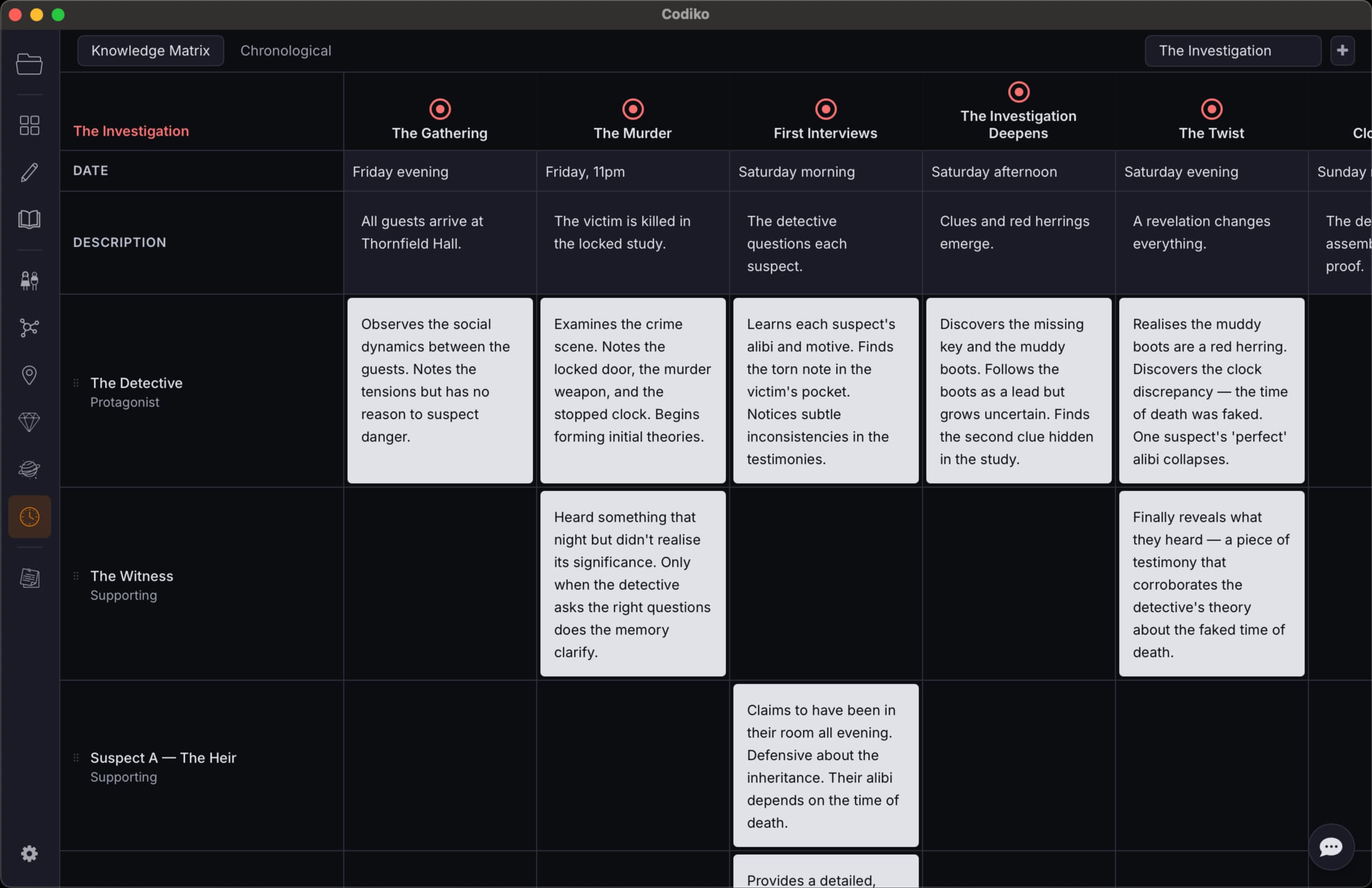
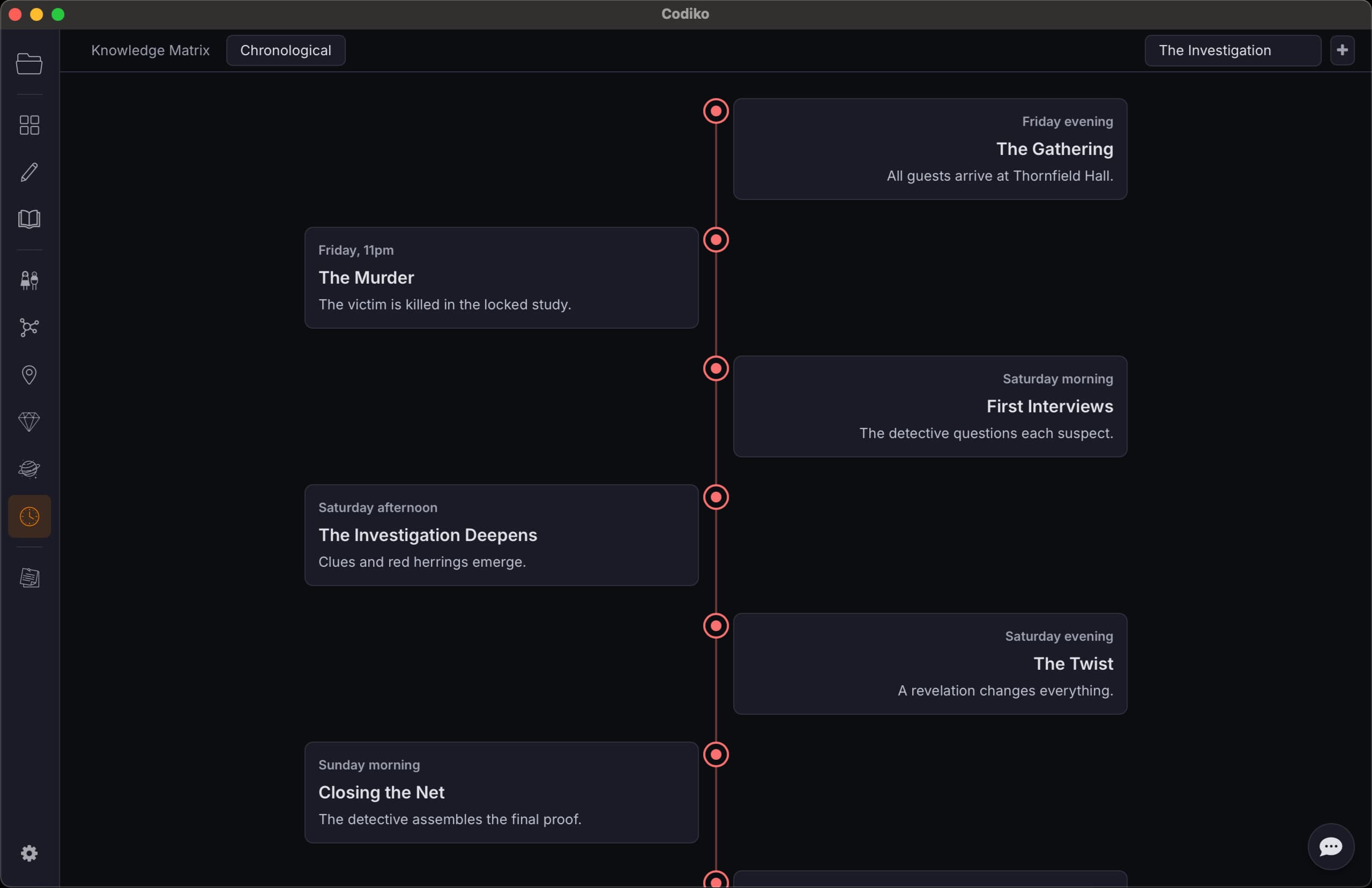
Stories aren't always told in order. Flashbacks, non-linear narratives, multiple POVs across different eras — your timeline tracks when things actually happen in your story's world, completely separate from how you structure your manuscript. Three ways to work with it: a visual panel in the workspace, a Knowledge Matrix for tracking what characters know at each event, and a Chronological view for date-based stories.
- Timeline Panel — a zoomable node graph in the workspace for creating and branching timelines, linking events across storylines, and connecting scenes to events
- Knowledge Matrix — a spreadsheet-style view with events as columns and characters as rows. Edit dates, descriptions, and knowledge entries inline. Drag to reorder events and characters. Add or remove characters from any timeline
- Chronological View — a vertical timeline that positions events proportionally by date. Ideal for stories that mirror real-world time, biographies, or historical fiction
- Branching timelines — fork from any event to create parallel tracks for alternate storylines, time travel, or diverging POVs
- Cross-timeline event linking — connect simultaneous events across timelines (e.g. the same battle seen from two POVs)
- The AI can read your timeline — it uses knowledge entries to understand what characters know (and don't know) at any point in your story
- Scene linking with position — mark scenes as happening before, during, or after an event for precise chronological mapping
Your Story's Canon, Always Accessible
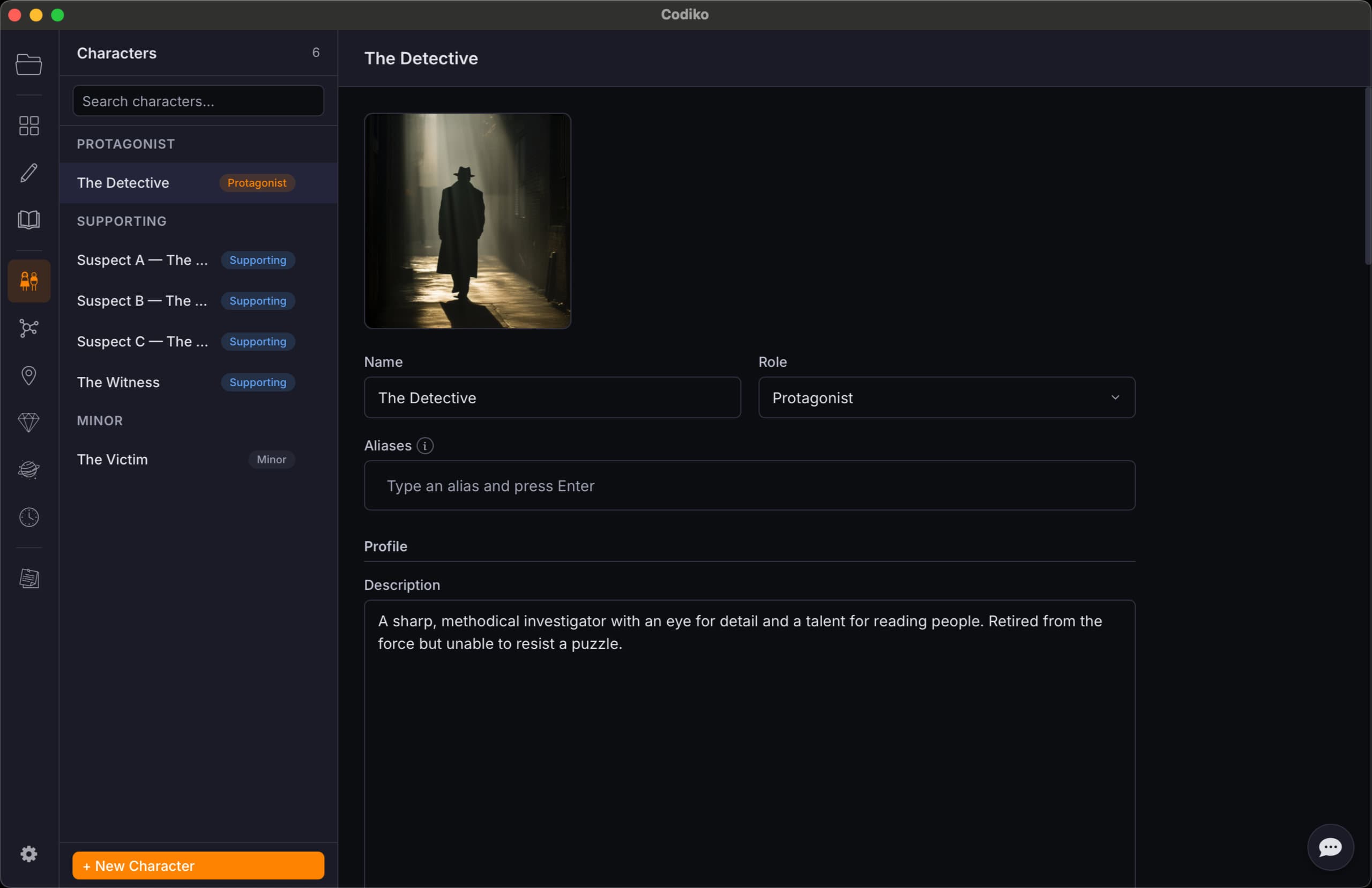
Characters, locations, items, and world-building entries — all structured, searchable, and indexed for the AI. No more scattered notes or forgotten details.
- Character pages with structured fields — name, role, appearance, personality, background
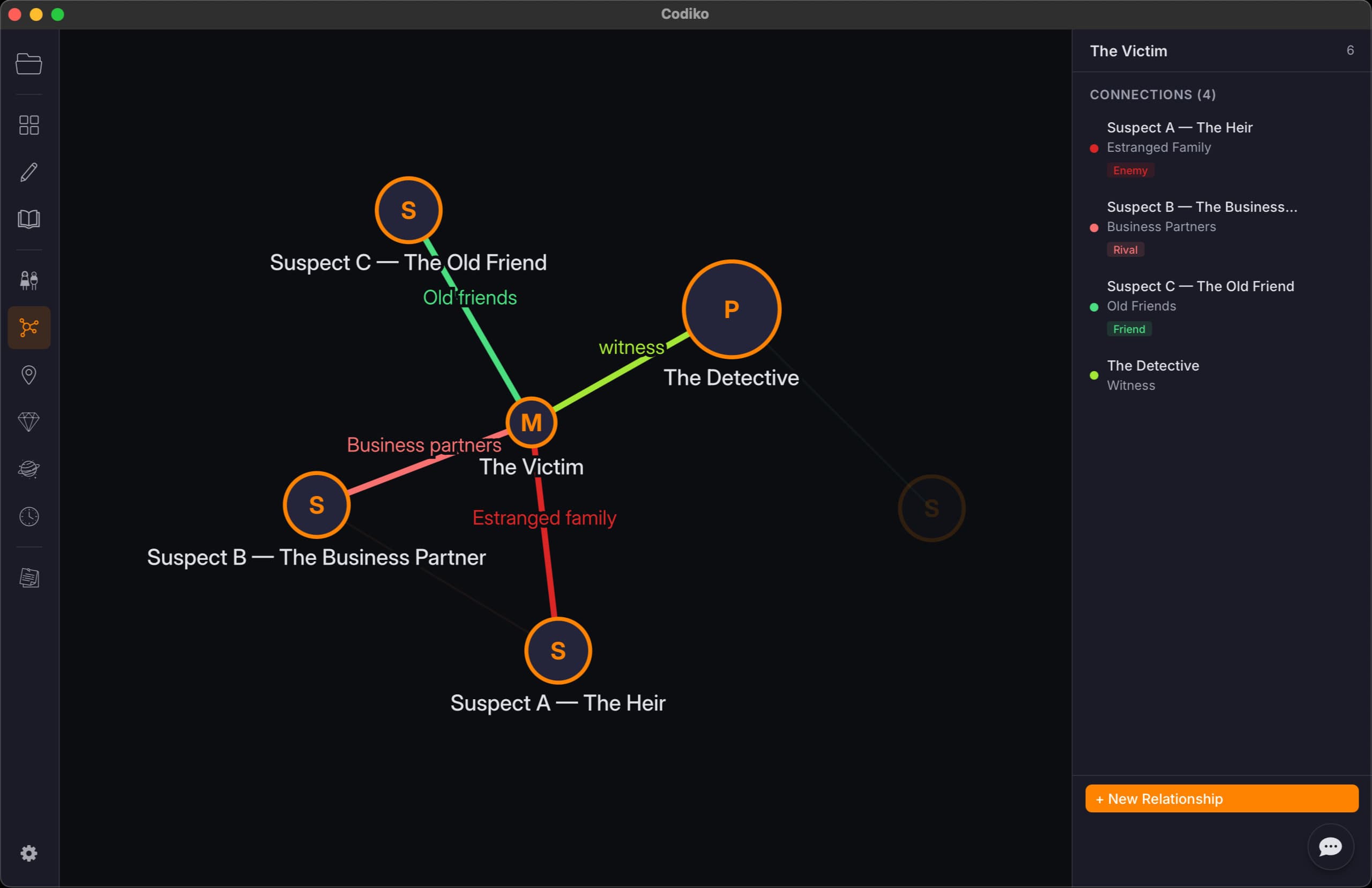
- Relationship graph showing connections between characters
- Locations and items with descriptions and knowledge entries
- World-building entries for magic systems, politics, history, and rules
- Knowledge entries — attach facts to any canon page for the AI to reference
- Everything is indexed so the AI can find it when needed
Read Your Manuscript Like a Book
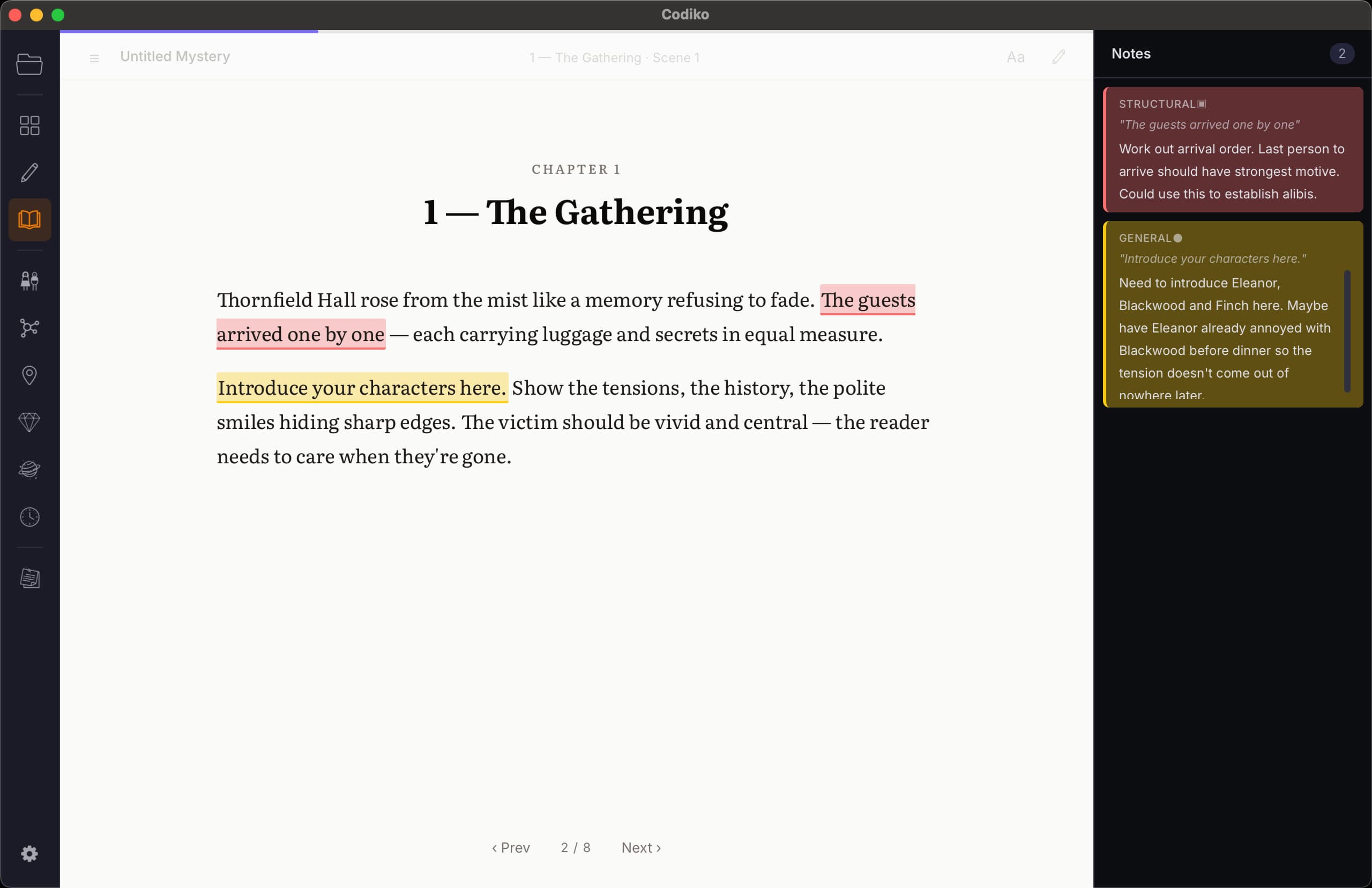
Switch from writing to reading. Reader mode renders your manuscript in a clean, distraction-free layout — perfect for reviewing your work, catching issues, and making annotations.
- Full manuscript rendered as continuous prose
- Colour-coded annotations for different types of notes
- Jump between chapters and scenes
- A different way to experience your story — helps you see your work fresh
From Manuscript to Published Book
Export your finished work in multiple formats with built-in presets for self-publishing, submissions, and reading. Choose a preset, tweak the layout, preview it, and export — no separate formatting tool needed.
- PDF — with presets for Amazon KDP (Print), trade paperback, mass market, standard manuscript, and reading copy. Full control over page size, margins, fonts, and mirror margins for print binding
- EPUB — with a dedicated Amazon KDP (Ebook) preset optimised for Kindle. Reflowable content, table of contents, and clean formatting
- Word —
.docxformat for submitting to editors, agents, or publishers - Markdown — clean
.mdfile for version control or further editing - Live preview — see exactly how your book will look before exporting
- Custom presets — save your own export settings for reuse across projects
Every Version of Every Scene, Saved Automatically
Codiko snapshots your manuscript as you write. Browse a timeline of every change to any scene, preview past versions, compare them against your current draft, and restore with one click — your safety net for fearless editing.
- Automatic snapshots of your manuscript scenes as you write, plus manual saves from the File menu
- Timeline sidebar grouped by day — see exactly when each change happened
- Full preview of any past version, rendered just like the editor
- Word-level change tracking — see exactly what changed between any snapshot and now
- One-click restore — a backup of your current version is saved before restoring
- Browse history across books, chapters, and scenes with breadcrumb navigation
This Is Just the Beginning
We have a lot more planned for Codiko — more AI providers, localisation, screenwriting tools, and more.
See the RoadmapHow It Compares
Built for the job. Not bolted on.
Why not just use ChatGPT / Claude?
| ChatGPT / Claude | Codiko | |
|---|---|---|
| Remembers chapter 3 while writing chapter 30 | No — context window limit | Yes — full manuscript indexed |
| Has access to your characters | Only what you paste in | Entire canon, relationships, timeline |
| Helps with continuity | No | Ask the AI — it has your full project |
| Organises your manuscript | No | Books / chapters / scenes / board view |
| Suggests edits in context | Generic suggestions | Diff-based review tied to your scenes |
Why not Novelcrafter?
| Novelcrafter | Codiko | |
|---|---|---|
| Platform & data | Cloud (their servers) | Desktop — data stays on your machine |
| Timeline & planning | Grid, Matrix & Outline views; Progressions | Branching event graph + Knowledge Matrix + chronological view |
| Export | Manuscript export | Book-production export — PDF, EPUB, KDP presets, live preview |
| Relationship mapping | Links between entries | Visual force-directed graph with typed connections |
| If you stop paying | Read-only access (view & export) | App keeps working, data is yours. No new updates until you renew |
| Price | $4–20/month subscription | £39 one-time purchase |
Why not Scrivener?
| Scrivener | Codiko | |
|---|---|---|
| Story structure | Binder (flat file tree) | Visual workspace + board view + timeline |
| Character & world tracking | Basic metadata fields | Full canon + relationship graph + knowledge |
| AI assistance | None | Context-aware chat with full manuscript access |
| Timeline | None (use a separate app) | Built-in branching timeline with scene linking |
| Continuity checking | Manual | AI-powered - helps identify inconsistencies in your story |
| Price model | One-time purchase | One-time purchase |